Introduction to the DotNetNuke Telerik RAD Editor - 6 Videos
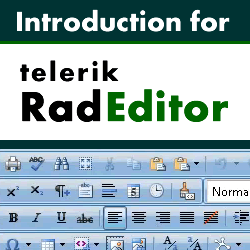
In this video tutorial we demonstrate how to use the new Telerik RADEditor that now comes as default with DotNetNuke 5.4 onwards.
The Telerik RADEditor is a Text / HTML editor which is used in modules such as the Text / HTML module. This editor now replaces the FCK Editor which has been used in previous versions of DotNetNuke, but if you wish to continue using the FCKEditor, it is still available to use.
In this tutorial we demonstrate using each of the various functions within the Telerik RADEditor, covering elements such as inserting images, flash, media through to using templates, working with URLs and working with tables.
 The videos contain:
Video 1 - Introduction, Break Tags vs. Paragraph Tags, Spell Checking, Cut and Paste
Video 2 - Inserting and Editing Images and Media, Working with Documents
Video 3 - Inserting Flash and mp3 Files, Using the Template Manager
Video 4 - Working with Hyperlinks
Video 5 - Formatting Text and Working with Lists
Video 6 - Creating Tables and Image Maps, Stripping Formatting
Introduction to the DotNetNuke Telerik RAD Editor Video Tutorial
The Telerik RADEditor is a Text / HTML editor which is used in modules such as the Text / HTML module. This editor now replaces the FCK Editor which has been used in previous versions of DotNetNuke, but if you wish to continue using the FCKEditor, it is still available to use.
In this tutorial we demonstrate using each of the various functions within the Telerik RADEditor, covering elements such as inserting images, flash, media through to using templates, working with URLs and working with tables.
The videos contain:Video 1 - Introduction, Break Tags vs. Paragraph Tags, Spell Checking, Cut and Paste
Video 2 - Inserting and Editing Images and Media, Working with Documents
Video 3 - Inserting Flash and mp3 Files, Using the Template Manager
Video 4 - Working with Hyperlinks
Video 5 - Formatting Text and Working with Lists
Video 6 - Creating Tables and Image Maps, Stripping Formatting
Introduction to the DotNetNuke Telerik RAD Editor Video Tutorial
Labels: dotnetnuke, FCK Editor, Introduction, OWS Open Web Studio Tutorial Video, RAD, Telerik, tutorial
posted by Andrew Stephenson at
3:31 pm
|
1 comments


