DotNetNuke tutorials, tips and tricks

Thursday, October 21, 2010

How to Change the Default Text Editor in DotNetNuke

In this video tutorial we demonstrate how to configure which text editor DotNetNuke should use as default.

From v5.4 onwards DotNetNuke now uses the Telerik RADEditor. The Telerik RADEditor is a useful text editor that provides some enhanced functions over the FCKEditor, however there are certain functions missing from the Telerik RADEditor which appeared in the FCKEditor such as displaying toolbars related to a users security role and configuring the FCKEditor functions on a portal, module and page basis.

Because of this you may find that you need to switch the default text editor in DotNetNuke to the FCKEditor from the Telerik RADEditor, or vice versa. In this tutorial we show you how you can easily switch between the two text editors.
How to Change the Default Text Editor in DotNetNuke
The video contains:

Video 1 - Introduction, Editing the Web.config file


How to Change the Default Text Editor in DotNetNuke

Labels: , , , , , , , , ,

Thursday, August 19, 2010

How to Configure the Telerik RAD Editor in DotNetNuke - 6 Videos

In this video tutorial we demonstrate how to configure and fully customize the Telerik RADEditor.

Including how to customize the Telerik RAD Editor to your DNN portal requirements. How to remove buttons, how to set the Telerik RAD Editor to use paragraph p tags instead of break br tags, creating custom configuration files, and adding new CSS classes.


Introduction to the DotNetNuke Telerik RAD Editor
The videos contain:

Video 1 - Introduction, Creating a Custom Configuration File

Video 2 - Overview of Editor Settings and Creating a New Toolbar Configuration File

Video 3 - Customising the Telerik RAD Toolbar and Installing an Example Skin

Video 4 - Configuring How the Editor Displays Content

Video 5 - Adding CSS Styles to the RAD Editor - Good Practice

Video 6 - Adding CSS Styles to Wrap Text Around Images

How to Configure the Telerik RAD Editor in DotNetNuke - 6 Videos

Labels: , , , , , , , ,

Friday, June 18, 2010

How to Create a Skin Object from an OWS Configuration - 2 Videos

In this video tutorial we walk you through how to create and place Open Web Studio skin objects directly into your DotNetNuke skin.

We cover how to create an OWS menu and feedback form and how to convert those modules into DNN Skin Objects.


Skinning with DotNetNuke Super Stylesheets
The videos contain:

Video 1 - Building the New OWS Configuration and Creating the Menu System

Video 2 - Placing the OWS Skin Object within the Skin File and Creating a Feedback Skin Object

How to Create a Skin Object from an OWS Configuration - 2 Videos


Labels: , , , ,

Thursday, June 10, 2010

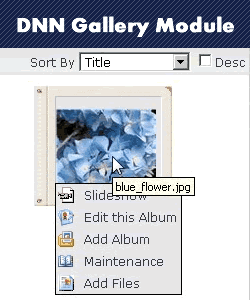
The DotNetNuke Gallery Module - 7 Video Tutorials

In this video tutorial we cover the Installation of the DotNetNuke Core Gallery Module and show you how to configure it correctly.

We walk you through how to use all of the features in the Gallery module including creating albums, uploading files, bulk uploads, the slideshow, media files, watermarks, templates, and more.

Skinning with DotNetNuke Super Stylesheets The videos contain:

Video 1 - Introduction to the DNN
Gallery Module, Installation and Basic Configuration

Video 2 -
How to Upload Images and Configure Their Settings

Video 3 -
Creating Gallery Albums and Bulk Uploading

Video 4 - How to Add Files and Albums Using FTP, Adding Music and Changing Permissible Upload Types

Video 5 - How to Add Video Files, How to Rate Files,
Gallery Look and Feel


Video 6 - Changing Feature Settings,
Adding Watermarks, Gallery Security Roles

Video 7 - Working with
Private Galleries and Security Roles, Gallery Maintenance
Total Time Length: 57mins

The DotNetNuke Gallery Module - 7 Video Tutorials

Labels: , , , , , , , , , , ,