DotNetNuke tutorials, tips and tricks

Thursday, October 28, 2010

How to Create an Installable DotNetNuke PA Module Using OWS - 3 Videos

In this video tutorial we demonstrate how to create an Installable DotNetNuke PA (Private Assembly) Module using Open Web Studio.

A PA module is a standard module that you would install using the host menu / extensions option in DotNetNuke.

We demonstrate creating a basic OWS Contacts module, we add module settings options to the OWS module and we show you how to configure the files that create an installable DNN PA Zip file, this covers the resx files, .dnn files, sql files and any other files that are needed for your module to work.
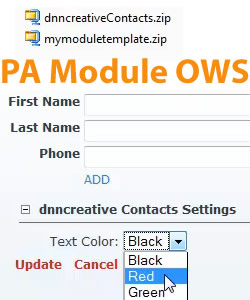

How to Create an Installable DotNetNuke PA Module Using OWS
The video contains:

Video 1 - How to Build a Contacts and Settings OWS Module

Video 2 - How to Create the DNN Installable PA Module Files

Video 3 - How to Create and Test the Installable PA Module Zip File


How to Create an Installable DotNetNuke PA Module Using OWS - 3 Videos

Labels: , , , , , , , ,

Thursday, September 23, 2010

Getting Started With jQuery UI in OWS for DotNetNuke - 3 Videos

In this video tutorial we walk you through step by step how to implement jQuery user interface components into your Open Web Studio applications.

We show you how to create your own custom user interface using jQuery’s theme builder, and how to install the jQuery components into your DotNetNuke application.

Getting Started With jQuery UI in OWS - 3 Videos
The videos contain:

Video 1 - Introduction and Preparing a Control Header

Video 2 - Navigating the jQuery Websites and Implementing a Date Picker

Video 3 - How to Implement the Auto Complete and Tabs Components

Total Time Length: 27min 56secs


Getting Started With jQuery UI in OWS - 3 Videos

Labels: , , , , , , ,

Friday, June 18, 2010

How to Create a Skin Object from an OWS Configuration - 2 Videos

In this video tutorial we walk you through how to create and place Open Web Studio skin objects directly into your DotNetNuke skin.

We cover how to create an OWS menu and feedback form and how to convert those modules into DNN Skin Objects.


Skinning with DotNetNuke Super Stylesheets
The videos contain:

Video 1 - Building the New OWS Configuration and Creating the Menu System

Video 2 - Placing the OWS Skin Object within the Skin File and Creating a Feedback Skin Object

How to Create a Skin Object from an OWS Configuration - 2 Videos


Labels: , , , ,

Tuesday, June 30, 2009

DotNetNuke ASCX Skinning and Open Web Studio Tutorials

DNN Creative have released issue 46 of the DotNetNuke Magazine

This issue takes a look at the professional's method for creating DotNetNuke skins, ASCX skinning. The main benefit of ASCX skinning, over other skinning methods, is that it is much quicker to create a skin in DotNetNuke using the ASCX method.

Other benefits include:
  • Make changes live on the website without re-parsing or re-installing the skin
  • Instantly see edits and changes you make to your skin code
  • View at a glance all of a skin tokens properties
  • Visual Web Developer Express will suggest the attributes that are available for each of the DotNetNuke tokens
We demonstrate all of these techniques and show you how to get started with ASCX skinning in DotNetNuke.

We also have part four in our series on the Open Web Studio Tutorials. This latest episode demonstrates how to add personalisation to the knowledgebase module using InterModule Communications and creating a ‘my saved articles’ module. We also demonstrate how to create a Tooltip using JQuery, how to change the “fetching data” message, how to enable Rich Text / HTML articles and how to create a multi-category selection for each knowledgebase article.

This issue concludes with our newest podcast covering the latest DotNetNuke News as well as more tips and tricks.

This issue comes complete with 11 videos and 1 podcast!

Labels: , , , , , , , , ,

Wednesday, June 03, 2009

Markit Modules Slideshow and PageEar, DNN Stuff's Module Rotator, Monitter4DNN and Open Web Studio Tutorials for DotNetNuke

DNN Creative have released issue 45 of the DotNetNuke Magazine.

This issue starts with Markit Modules Slideshow module. This module is useful for displaying your featured articles and products as an image, text content or you can even display an existing module within a slideshow in a similar manner to the msn.com home page.

Still with Markit Modules, the next tutorial covers the free PageEar module which allows you to place Page Peel advertisements on your DotNetNuke websites.

Next, we show you how to use DNN Stuff’s Module Rotator. This module allows you to rotate the content of multiple modules in the space of a single module. You can configure the module rotator to rotate modules each time the page loads, or you can also configure a timer to rotate through modules in milliseconds.

Following this we explore Joe Brinkman's free Monitter for DNN module. This simple module allows you to easily display a real-time feed of twitter search results on your website.

Also released with this issue is the much anticipated third part of our series on How to Build a Public Knowledge Base Module using R2i’s Open Web Studio by Paul Deschenes. This instalment explores how to build the user search page for searching knowledge base articles.

We show you how to:
  • Implement record paging
  • Column sorting
  • Create a categories module
  • Create a print function for the articles
  • Add an articles rating feature
Finally, we have a podcast covering the latest DotNetNuke News.

This issue comes complete with 14 videos and 1 podcast!

Labels: , , , , , , , , , , , ,

Monday, May 04, 2009

iFinity URL Master, OnyakTech Host Commander and Open Web Studio Tutorials for DotNetNuke

DNN Creative have released issue 44 of the DotNetNuke Magazine.

This issue demonstrates the iFinity URL Master module. The URL Master module is one of the essential modules for your DotNetNuke websites as it eliminates duplicate content from the Search Engines and creates Search Engine Optimised URLs.

This module allows you to:
  • Create Human and Search Engine friendly URLs
  • Lets you replace spaces in URLs with characters you specify, such as hyphens
  • Allows you to use your own keywords and phrases within the URLs for your DotNetNuke pages
  • Incorporates various options for custom redirects
This module is very useful for eliminating duplicate content and replacing old websites with new DotNetNuke sites.

Following this we demonstrate OnyakTech’s Host Commander module. This module has many useful functions for the Host Super User, such as scheduling SQL queries, view portal statistics for all portals from one area, view the data from the tables in your database, and execute stored procedures.

Next we have the second part of our new series on 'How to Build a Public Knowledge Base Module' using R2i’s Open Web Studio by Paul Deschenes. This instalment explores the actual coding process, showing you how to manually build a module so you can get a full understanding of building a query, using AJAX calls and OWS actions so that you can go on to build your own OWS modules of any type and requirement.

Included with the OWS tutorial this month is a ‘mini’ tutorial on how to import the configuration source code (which is provided with each tutorial) into Open Web Studio.

The final item in this issue is the latest installment from our DotNetNuke News series

This issue comes complete with 16 videos and 1 podcast!

Labels: , , , , , , , , , , , ,

Sunday, April 05, 2009

OnyakTech Sigma Live, DNNStuff Aggregator and Open Web Studio Tutorials for DotNetNuke

DNN Creative have released issue 43 of the DOtNetNuke Magazine.

In this very special issue we have reached 400 video tutorials!
This issue, also brings a new video tutor, Paul Deschenes who will be providing a six part series on how to build a Knowledge Base Module using Open Web Studio.

We start off this issue with a tutorial on the OnyakTech SigmaLive Module, which provides Live Chat functionality for your DotNetNuke website. It allows you to engage in a 1-to-1 chat with your website visitors in real-time and it allows you to instantly provide live help, live support, visitor tracking, and proactive sales for your products and services and can be configured as a chat room.

Next we show you how to use DNN Stuff’s Aggregator Module. This is a really flexible module as it acts as a tabbed container or can also be used as a localization container for one or more modules, allowing you to combine several modules together from a page into a tabbed interface and can also display RSS feeds.

Following this we have part one of six for the new series of tutorials on How to Build a Public Knowledge Base Module with R2i’s Open Web Studio by Paul Deschenes. This series will introduce the beginner to Open Web Studio and demonstrate how to create a fully functional web application with little or no coding experience required. This first tutorial in the series provides an introduction to Open Web Studio, installation, the key components, and building your first components with Quick Builder.

To complete the issue we have two podcasts from the DotNetNuke News series.

This issue comes complete with 14 videos and 2 podcasts!

Labels: , , , , , , , , , , , ,